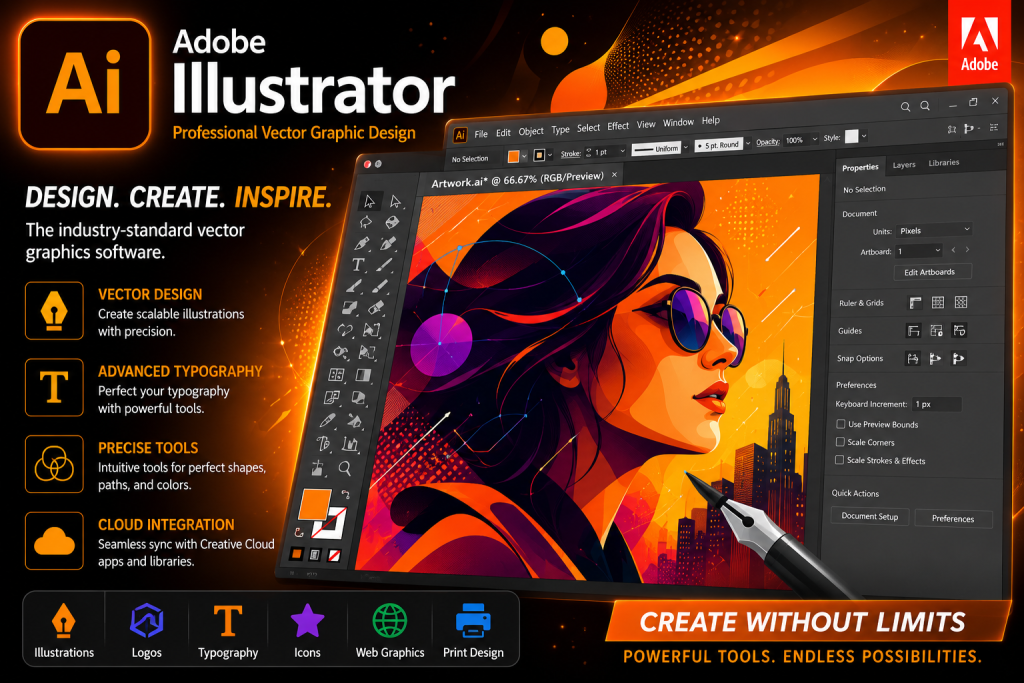
Create stunning vector graphics, logos, illustrations, icons, and typography with Adobe Illustrator. Explore features, system requirements, and professional design tools for Windows and macOS.

Adobe Illustrator 2026 – Professional Vector Design Software
Adobe Illustrator is one of the world’s most popular vector graphic design applications used by designers, illustrators, artists, marketing professionals, and businesses. Developed by Adobe, Illustrator provides powerful tools for creating scalable graphics, logos, icons, typography, illustrations, packaging designs, social media graphics, and print-ready artwork.
Unlike raster-based image editors, Illustrator uses vector technology, allowing designs to remain sharp and high-quality at any size. Whether you’re designing a small icon or a large billboard, Adobe Illustrator ensures crisp and professional results.
What is Adobe Illustrator?
Adobe Illustrator is a vector graphics editor included in Adobe Creative Cloud. It enables users to create artwork using mathematical paths rather than pixels, making designs infinitely scalable without quality loss.
The software is widely used for:
- Logo Design
- Brand Identity Creation
- Illustration
- Typography
- Packaging Design
- Web Graphics
- UI Elements
- Marketing Materials
- Print Design
- Social Media Content
Professional designers worldwide rely on Illustrator because of its precision, flexibility, and industry-standard toolset.
Key Features of Adobe Illustrator
1. Advanced Vector Design Tools
Illustrator provides powerful pen tools, shape builders, pathfinders, and anchor point editing features for creating detailed vector artwork.
Benefits include:
- Infinite scalability
- Sharp edges
- Clean curves
- Precise editing
- Professional output
2. Professional Typography
Designers can create stunning text effects using advanced typography controls.
Features include:
- Variable fonts
- Character styling
- OpenType support
- Text on path
- Custom typography effects
Typography tools help create visually appealing branding and marketing materials.
3. AI-Powered Design Features
Modern versions of Illustrator include AI-powered tools that help designers:
- Generate concepts
- Recolor artwork
- Speed up workflow
- Improve productivity
These features reduce repetitive work and allow creators to focus more on design.
4. Creative Cloud Integration
Adobe Illustrator integrates seamlessly with other Adobe applications.
Popular integrations include:
- Adobe Photoshop
- Adobe InDesign
- Adobe Express
- Adobe After Effects
- Adobe Premiere Pro
This interconnected ecosystem streamlines creative workflows.
5. Professional Illustration Tools
Artists can create:
- Character designs
- Digital artwork
- Comic illustrations
- Technical drawings
- Infographics
Illustrator’s brush system and vector editing tools make it ideal for professional artwork creation.
6. Logo and Branding Design
Adobe Illustrator is considered the industry standard for logo creation.
Businesses use Illustrator to design:
- Company logos
- Brand guidelines
- Business cards
- Packaging
- Marketing materials
Vector-based logos ensure perfect quality across all print and digital formats.
Performance and User Experience
Adobe Illustrator offers a modern workspace that allows users to customize panels, shortcuts, and tools according to their workflow.
Benefits include:
- Clean interface
- Fast performance
- GPU acceleration
- Custom workspaces
- Multi-monitor support
These features improve efficiency for professional designers.
System Requirements
Minimum Requirements
- Windows 10 or Windows 11
- Intel or AMD processor
- 8 GB RAM
- 4 GB available storage
- Internet connection for activation
Recommended Requirements
- Windows 11
- 16 GB RAM or higher
- SSD storage
- Dedicated graphics card
- High-resolution display
Who Should Use Adobe Illustrator?
Adobe Illustrator is suitable for:
Graphic Designers
Create professional branding materials, advertisements, and marketing assets.
Illustrators
Design digital artwork and character illustrations.
Content Creators
Produce social media graphics, thumbnails, and promotional content.
Businesses
Develop logos, packaging, and corporate branding materials.
Students
Learn professional graphic design using industry-standard software.
Official Website
For product information, subscriptions, and official downloads, visit:
Adobe Illustrator Official Website:
https://www.adobe.com/products/illustrator.html
Adobe Creative Cloud:
https://www.adobe.com/creativecloud.html
Conclusion
Adobe Illustrator remains one of the most powerful and trusted vector graphic design applications available today. Whether you’re creating professional logos, illustrations, branding materials, social media graphics, or print-ready artwork, Illustrator provides the tools needed to transform creative ideas into high-quality designs. Its advanced vector engine, typography controls, Creative Cloud integration, and modern workflow features make it an essential tool for designers, businesses, students, and creative professionals worldwide.