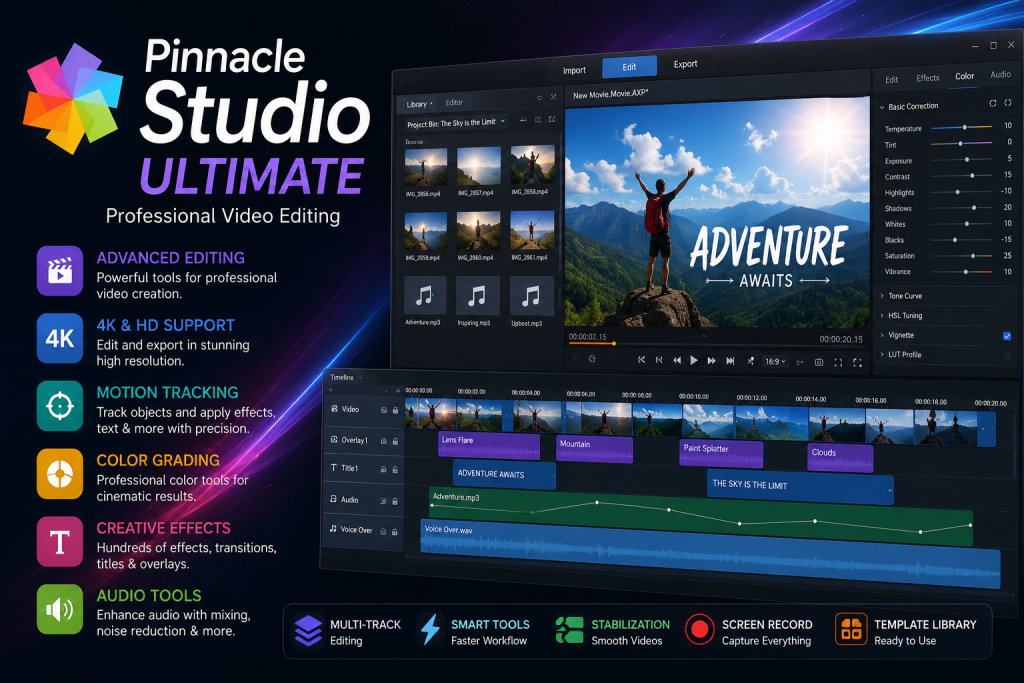
Create stunning videos with Pinnacle Studio Ultimate using advanced editing tools, effects, color grading, motion tracking, and 4K video support.
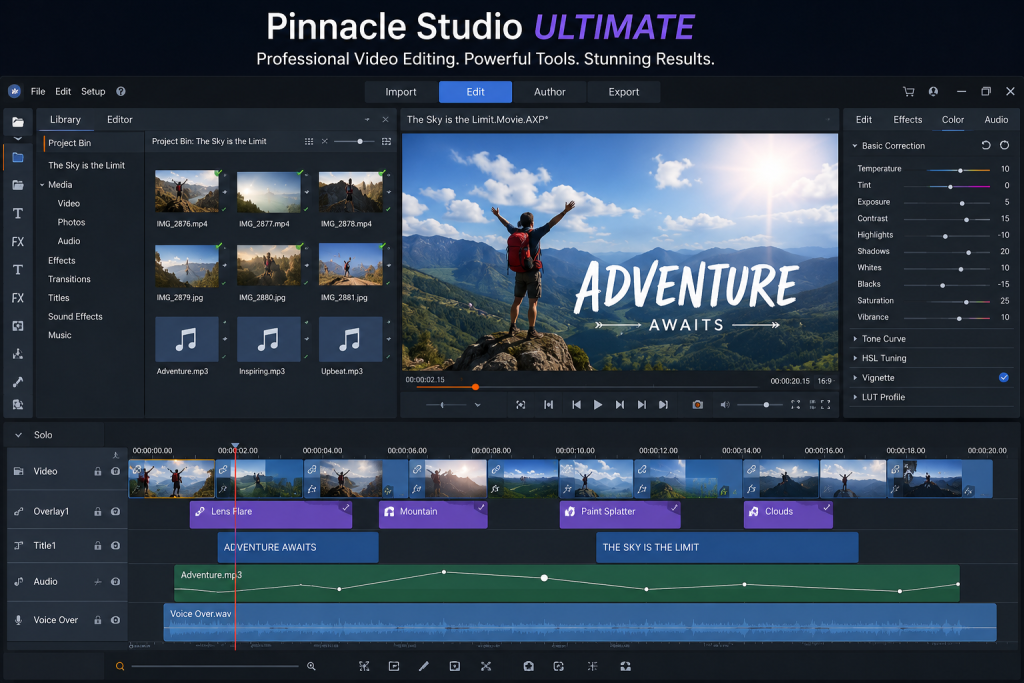
Pinnacle Studio Ultimate – Professional Video Editing Software for Windows
Pinnacle Studio Ultimate is a feature-rich video editing application designed for creators who want to produce professional-quality videos with an intuitive workflow. Whether you’re editing travel vlogs, gaming videos, educational content, business presentations, family memories, or cinematic projects, the software offers a complete set of editing tools that simplify the entire production process.
The application combines an easy-to-use interface with advanced editing capabilities, making it suitable for beginners who are learning video editing as well as experienced editors working on complex productions. From importing media files to exporting high-resolution videos, every stage of the editing process is designed to provide speed, precision, and creative flexibility.
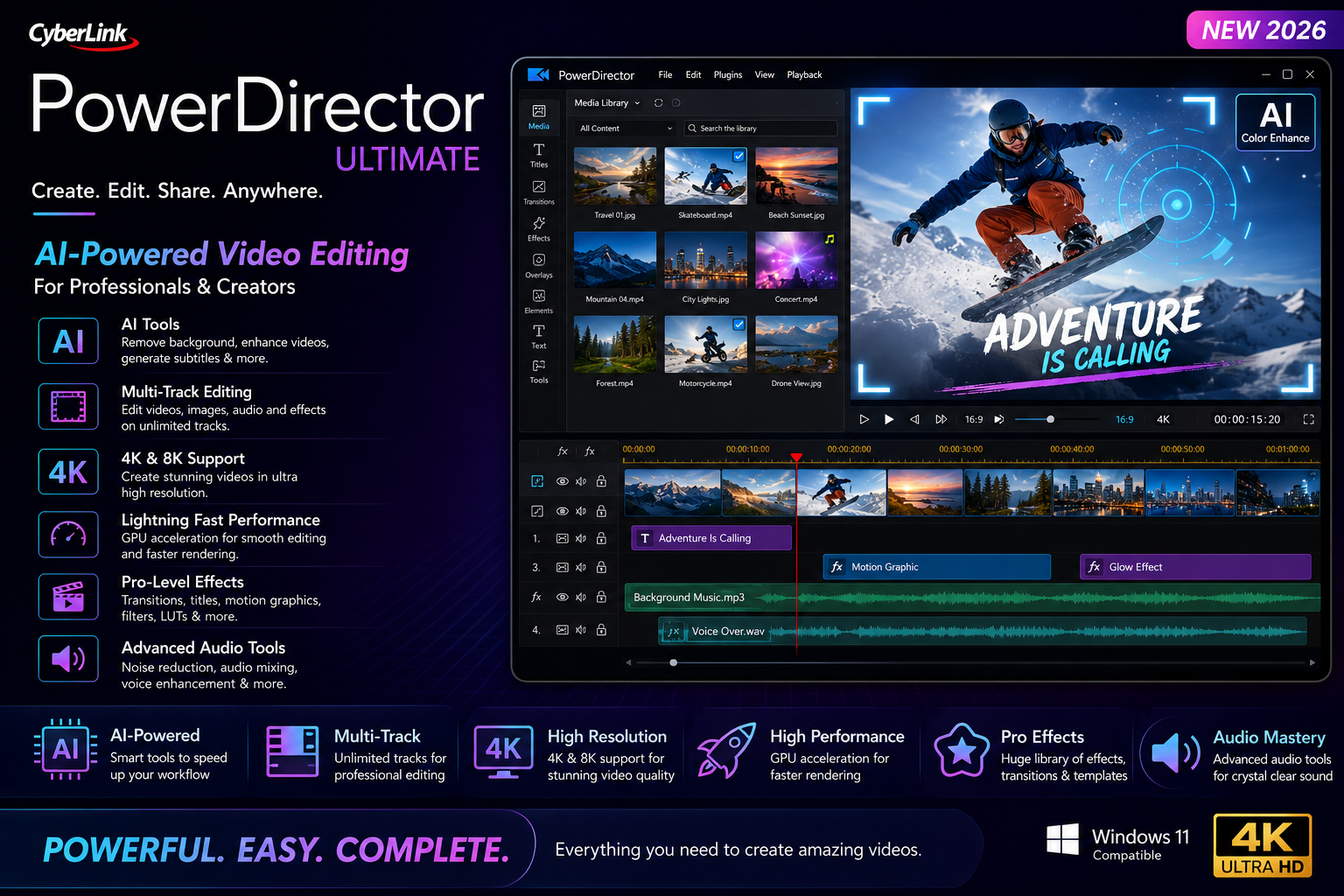
One of the biggest advantages of Pinnacle Studio Ultimate is its multi-track editing timeline. Users can organize video clips, images, background music, voice recordings, sound effects, titles, overlays, and animations on multiple layers. This makes it easy to create polished projects with professional transitions, picture-in-picture effects, split-screen layouts, and cinematic storytelling.
The software supports a wide variety of video, image, and audio formats, allowing creators to work with footage captured from smartphones, DSLR cameras, mirrorless cameras, action cameras, drones, webcams, and screen recording applications. This compatibility helps streamline workflows without requiring additional conversion tools.
Advanced color grading features enable users to enhance the appearance of their videos using professional controls. Brightness, contrast, saturation, exposure, white balance, highlights, shadows, and color temperature can all be adjusted with precision. Creative LUT support allows editors to achieve cinematic looks and maintain consistent color across multiple clips.
Motion tracking is another standout feature that enhances creative possibilities. Editors can attach text, graphics, stickers, blur effects, or visual elements to moving objects throughout a video. This functionality is particularly useful for tutorials, sports highlights, travel videos, gaming content, and educational presentations.
The software also includes keyframe animation tools that provide detailed control over movement, scaling, rotation, transparency, and other visual properties. Keyframes make it possible to create smooth animations, zoom effects, dynamic titles, and professional motion graphics without requiring separate animation software.
Video stabilization tools help improve footage captured with handheld cameras or mobile devices. Small shakes and unwanted movement can be minimized, resulting in smoother and more comfortable viewing experiences. This feature is especially useful for outdoor recordings, travel footage, and action scenes.
Creators working with high-resolution content benefit from extensive support for HD, Full HD, 2K, and 4K video editing. High-quality exports preserve sharp details and vibrant colors while maintaining efficient rendering performance on compatible hardware.
Audio editing is equally important in video production, and Pinnacle Studio Ultimate includes tools for balancing sound levels, reducing background noise, adjusting volume envelopes, synchronizing narration, and mixing multiple audio tracks. Users can enhance dialogue clarity while adding background music and sound effects to create engaging videos.
The title editor allows creators to design attractive text overlays for intros, lower thirds, subtitles, captions, credits, and promotional content. Multiple font options, animations, shadows, outlines, and visual styles help customize titles for different project types.
Transitions are essential for maintaining smooth visual flow between scenes. The software includes numerous transition effects ranging from simple fades and dissolves to dynamic 3D animations. Editors can choose styles that match the mood and pacing of their projects without overcomplicating the editing process.
Visual effects further expand creative possibilities. Filters, artistic effects, cinematic enhancements, lens corrections, blur effects, glow effects, lighting adjustments, and stylized presets help transform ordinary footage into visually appealing productions. These effects can often be customized using adjustable parameters for greater creative control.
Masking tools enable selective editing within specific regions of a frame. Editors can isolate subjects, blur backgrounds, create custom transitions, replace skies, or apply color corrections to only certain areas of a video. Combined with keyframes, masking opens up advanced editing workflows suitable for professional projects.
Split-screen templates allow multiple videos to appear simultaneously, making comparisons, interviews, reactions, gameplay, tutorials, and presentations more engaging. Picture-in-picture functionality also lets creators overlay webcam footage or additional media on top of the main video.
Speed controls make it easy to create slow-motion or fast-motion sequences. Slow-motion effects highlight important moments with greater detail, while time-lapse sequences compress long events into short, engaging clips. Variable speed adjustments provide additional creative flexibility.
Screen recording support is particularly useful for educators, trainers, software reviewers, and gaming creators. Desktop activities, software demonstrations, presentations, and tutorials can be recorded and combined with voice narration, webcam footage, annotations, and titles to create informative content.
Template-based editing helps beginners create polished videos quickly. Pre-designed project templates include transitions, effects, text styles, intro sequences, and layout arrangements that reduce editing time while maintaining professional results.
Performance optimization allows users to preview projects more smoothly during editing. Hardware acceleration on supported systems improves playback responsiveness, rendering speed, and export performance, making large projects easier to manage.
Proxy editing workflows are beneficial for users working with high-resolution or resource-intensive media. Lower-resolution proxy files improve editing responsiveness while preserving original quality during final export.
The software supports importing media from numerous sources, including memory cards, USB drives, cameras, smartphones, external storage devices, and local folders. Organized media libraries make it easier to locate clips, images, music, and project assets during editing sessions.
Project management features help users organize timelines, media assets, sequences, and editing resources efficiently. This becomes especially valuable when working on long-form videos, documentaries, educational courses, or business presentations.
For YouTube creators, Pinnacle Studio Ultimate offers tools that simplify content production. Intro animations, outro screens, transitions, lower thirds, captions, callouts, and audio enhancements can all be integrated into videos that maintain a professional appearance across different viewing devices.
Businesses can use the software to create promotional videos, advertisements, product showcases, training materials, social media campaigns, presentations, and marketing content. Professional editing capabilities help organizations communicate information more effectively through engaging visual storytelling.
Educators and trainers benefit from combining screen recordings, presentations, narration, diagrams, animations, and subtitles into structured learning materials. Video lessons become more engaging through interactive visual elements and clear editing techniques.
Social media creators can edit short-form videos optimized for various platforms while maintaining high visual quality. Vertical videos, square formats, widescreen presentations, and custom aspect ratios provide flexibility for different publishing requirements.
The export engine supports multiple resolutions and quality settings suitable for sharing videos across websites, media players, televisions, presentations, and digital archives. Adjustable bitrate and compression options help balance file size with visual quality depending on project requirements.
Frequent updates and workflow improvements continue to enhance compatibility with modern media formats, hardware technologies, and editing standards. This allows creators to take advantage of newer recording devices and evolving production techniques without significantly changing their editing workflow.
Overall, Pinnacle Studio Ultimate provides an excellent combination of accessibility and professional functionality. Its comprehensive editing toolkit includes advanced color correction, motion tracking, keyframe animation, multi-track editing, visual effects, audio enhancement, title creation, masking, transitions, stabilization, and high-resolution export capabilities. Whether producing personal memories, educational tutorials, gaming content, travel documentaries, marketing videos, or cinematic productions, the software delivers a flexible editing environment that supports creativity from start to finish.
Explore More Software & Tools
If you’re looking for more creative and productivity applications, check out these related categories and guides on FileFlows.in.
- Video Editing Software
- Photo Editing Software
- Audio Editing Tools
- Screen Recording Software
- Graphic Design Applications
- Office & Productivity Software
- PDF Tools
- Windows Applications
- Utilities & System Tools
- File Management Tools