Create professional-quality videos with CyberLink PowerDirector Ultimate. Explore AI-powered editing tools, motion graphics, effects, color grading, and fast 4K video production for Windows.
CyberLink PowerDirector Ultimate 2026 for Windows – Professional AI Video Editing Software
CyberLink PowerDirector Ultimate is a feature-rich video editing application designed for beginners, content creators, YouTubers, educators, businesses, and professional video editors. It combines an intuitive interface with powerful editing tools, allowing users to create high-quality videos for social media, YouTube, business presentations, online courses, films, and personal projects. With AI-powered features, advanced visual effects, motion graphics, and high-speed rendering, PowerDirector Ultimate has become one of the most popular video editing solutions available for Windows.
Whether you’re editing travel videos, gaming content, promotional advertisements, wedding films, or educational tutorials, CyberLink PowerDirector Ultimate offers the flexibility and performance needed to produce professional-looking results. Its balance of ease of use and advanced capabilities makes it suitable for users of every experience level.
What is CyberLink PowerDirector Ultimate?
CyberLink PowerDirector Ultimate is a non-linear video editing software that enables users to import, edit, enhance, and export videos in a wide variety of formats and resolutions. The software includes professional editing features such as multi-track timeline editing, AI-powered tools, motion graphics, color correction, transitions, visual effects, title animation, and audio enhancement.
It supports modern workflows for creators producing content for YouTube, Instagram, TikTok, Facebook, business marketing, online learning, and professional filmmaking.
Key Features
AI-Powered Editing Tools
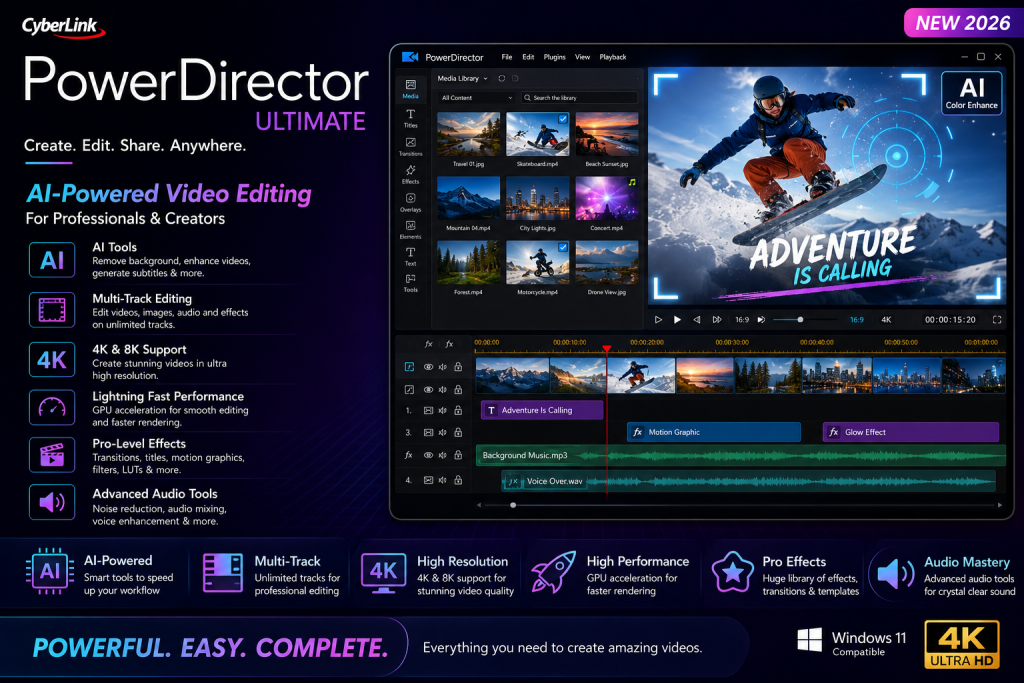
PowerDirector Ultimate includes intelligent AI tools that simplify complex editing tasks. These features help users remove backgrounds, improve video quality, generate subtitles, stabilize shaky footage, and automate repetitive editing processes, allowing creators to work more efficiently.
Multi-Track Timeline Editing
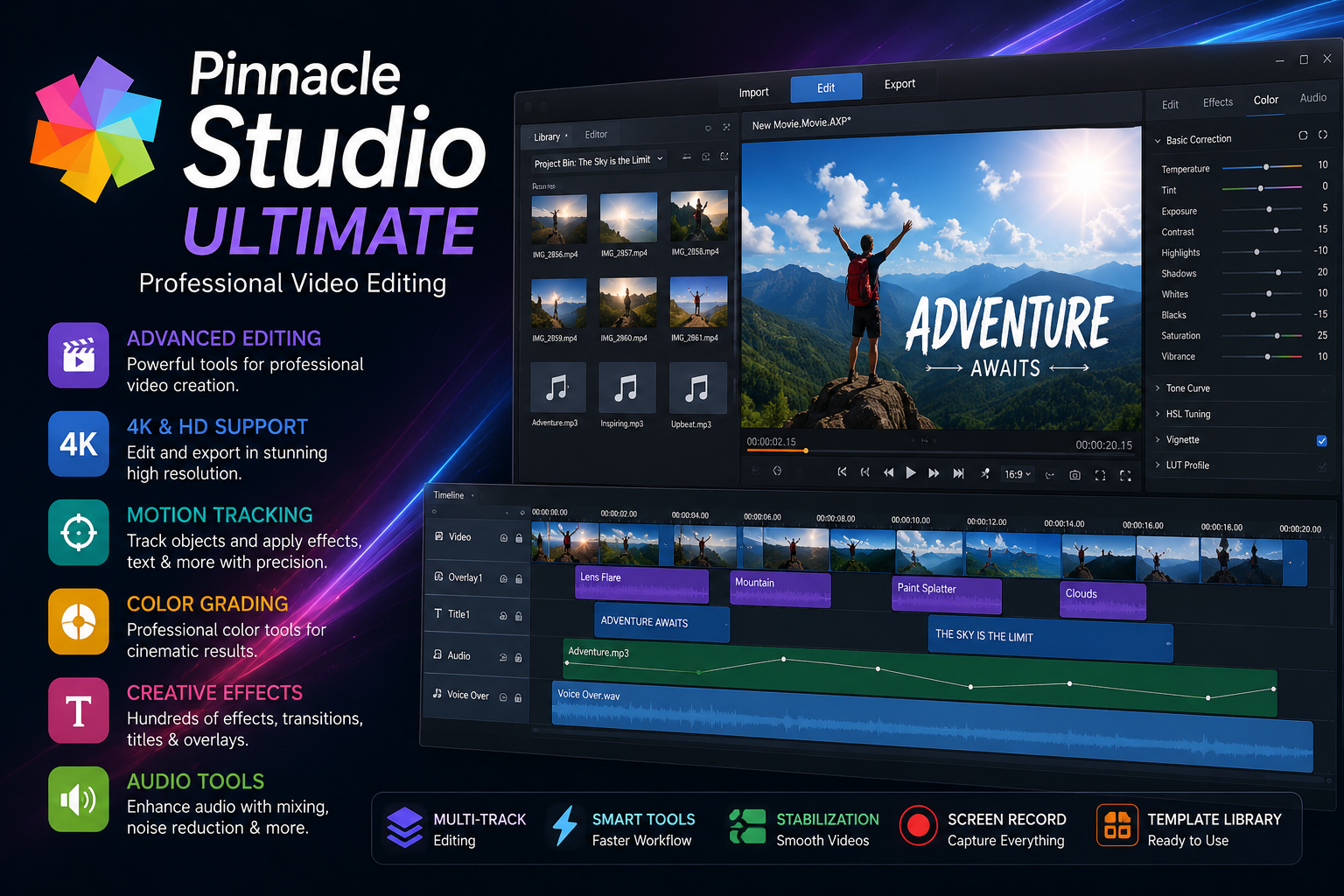
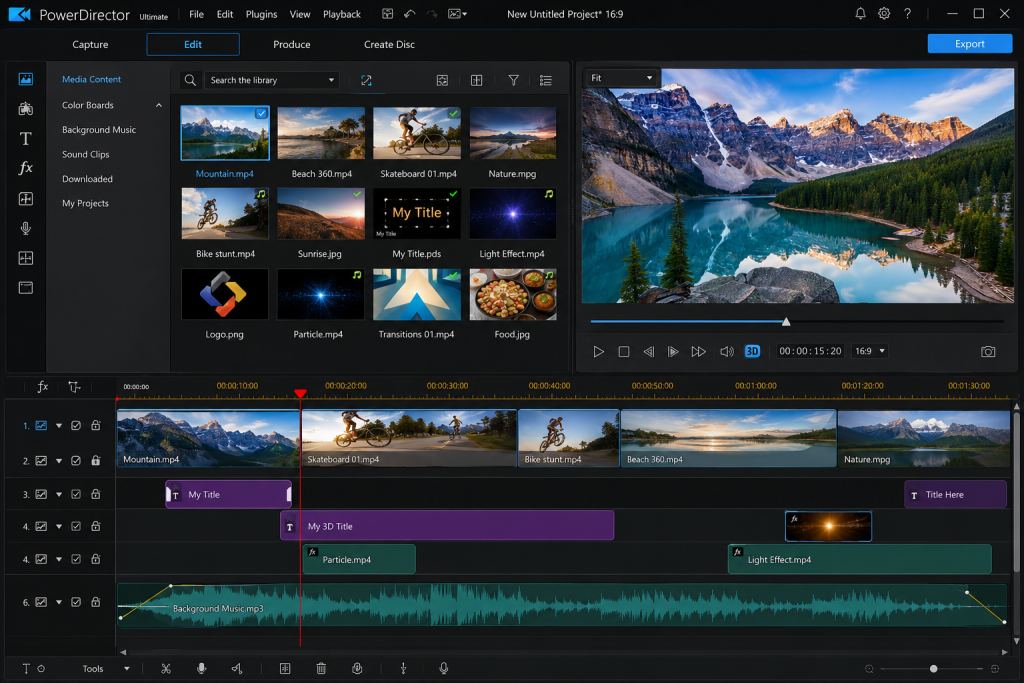
The multi-track editing timeline allows users to combine videos, images, music, voice recordings, text, and effects into a single project. Editors can easily trim clips, split footage, adjust timing, and organize multiple layers for complex productions.
Professional Visual Effects
PowerDirector Ultimate provides a large collection of transitions, cinematic effects, overlays, filters, particle animations, and animated titles. These effects can be customized to match different creative styles, from cinematic storytelling to fast-paced social media videos.
Advanced Color Correction
Users can improve the appearance of their videos using professional color grading tools. Brightness, contrast, saturation, white balance, HDR effects, LUT support, and advanced color adjustments allow editors to create consistent and visually appealing content.
Motion Graphics and Animation
Create engaging videos with animated titles, keyframe animation, object tracking, motion graphics, and customizable templates. These tools are ideal for promotional videos, educational content, and YouTube intros.
Green Screen Editing
The built-in Chroma Key feature makes it easy to replace backgrounds and create professional green-screen effects for presentations, interviews, gaming videos, and creative productions.
Screen Recording
Capture desktop activities, presentations, gameplay, software tutorials, webinars, and online meetings directly within the software. Screen recording features make PowerDirector a useful solution for educators and content creators.
Audio Enhancement
Improve your video’s sound quality using built-in audio editing tools. Reduce background noise, balance audio levels, synchronize voiceovers, and add royalty-free background music for a polished final product.
High-Resolution Video Support
PowerDirector Ultimate supports HD, Full HD, 4K, and 8K video editing, allowing creators to produce high-quality content suitable for modern displays and streaming platforms.
Hardware Acceleration
The software supports GPU acceleration on compatible NVIDIA, AMD, and Intel graphics hardware. Hardware encoding significantly reduces rendering time and improves editing performance when working with high-resolution footage.
Performance and User Experience
PowerDirector Ultimate is designed with both beginners and experienced editors in mind. The clean interface allows quick access to editing tools while still offering advanced customization options for professional workflows.
Real-time previews, drag-and-drop editing, timeline controls, customizable workspaces, and optimized GPU performance help users complete projects faster without sacrificing quality.
Who Should Use CyberLink PowerDirector?
CyberLink PowerDirector Ultimate is an excellent choice for:
- YouTubers
- Video Editors
- Content Creators
- Social Media Managers
- Marketing Agencies
- Online Teachers
- Students
- Business Professionals
- Filmmakers
- Freelance Editors
Its combination of ease of use and professional capabilities makes it suitable for both personal and commercial video production.
System Requirements
Minimum Requirements
- Windows 10 or Windows 11
- Intel Core i-series or AMD Ryzen processor
- 8 GB RAM
- DirectX-compatible graphics card
- 10 GB available storage
- Internet connection for updates and online services
Recommended Requirements
- Windows 11
- Intel Core i7/i9 or AMD Ryzen 7/9
- 16 GB RAM or higher
- NVIDIA GeForce RTX or AMD Radeon graphics card
- SSD or NVMe storage
- High-resolution monitor
Meeting the recommended specifications provides smoother editing, faster rendering, and improved overall performance.
Advantages of CyberLink PowerDirector Ultimate
- Beginner-friendly interface
- AI-powered editing tools
- Fast hardware-accelerated rendering
- Multi-track timeline editing
- Professional visual effects
- Motion graphics and animated titles
- Green screen support
- Audio enhancement tools
- Screen recording functionality
- High-resolution 4K and 8K editing
- Frequent software updates
- Large library of creative assets
Frequently Asked Questions
Is CyberLink PowerDirector suitable for beginners?
Yes. Its intuitive interface, drag-and-drop editing, and built-in templates make it an excellent choice for users new to video editing.
Can PowerDirector edit 4K videos?
Yes. It supports editing and exporting videos in Full HD, 4K, and even 8K resolutions on compatible hardware.
Does CyberLink PowerDirector support YouTube content creation?
Absolutely. It includes templates, transitions, title effects, export presets, and optimization tools designed for YouTube and other social media platforms.
Can I record my screen with PowerDirector?
Yes. The software includes built-in screen recording features that are useful for tutorials, presentations, gaming videos, and online learning.
Does PowerDirector support GPU acceleration?
Yes. Compatible NVIDIA, AMD, and Intel graphics hardware can significantly improve playback and rendering performance.
Conclusion
CyberLink PowerDirector Ultimate continues to be one of the leading video editing applications for Windows users seeking a balance between simplicity and professional capabilities. Its AI-powered editing features, multi-track timeline, advanced visual effects, motion graphics, color grading, hardware acceleration, and support for high-resolution video make it an outstanding choice for creators of all skill levels. Whether you are producing YouTube videos, business presentations, educational courses, social media content, or cinematic productions, PowerDirector Ultimate provides a comprehensive editing environment that helps transform creative ideas into polished, high-quality videos efficiently.